


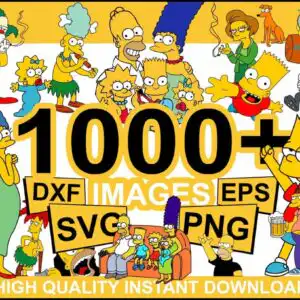

Simpsons Cartoon Characters Collage for Vinyl, Shirts, Mugs and Party Decor
This Collage Simpsons Cartoon Characters SVG is a single sheet of flat vector Simpsons characters, and it comes with SVG, PNG, DXF, EPS and PDF files for cutting, printing and sublimation. The collage brings together Homer, Marge, Bart, Lisa, Maggie, Krusty the Clown, Milhouse, Santa’s Little Helper and Snowball the cat, set against a white background in Simpsons yellow, black, blue and red. Lisa’s saxophone, a pink frosted donut and a Duff beer can add the fun details that make it stand out. You can cut the artwork in vinyl with Cricut Design Space or Silhouette Studio, or print the PNG for sublimation on tumblers and t-shirt transfers. The sheet also includes a bold “1000+ IMAGES” and “HIGH QUALITY INSTANT DOWNLOAD” panel, so you know what you are getting before you open the files. It suits fan merchandise, party decor and general crafting projects.
Design breakdown
This sheet is a collage of 15 distinct designs in a landscape layout on a white background, and it is cut in 3 layers with a high level of cut detail. The palette is Simpsons yellow, black, white, blue, red, purple, pink, green and orange, with black used for outlines and most of the faces and lettering. Among the designs shown in the preview are Homer Simpson, Marge Simpson, Bart Simpson, Krusty the Clown and the Couch gag family group on the sofa. Fine details such as the saxophone keys and the donut sprinkles are best cut at 4 inches or larger. The “1000+ IMAGES”, “DXF”, “EPS”, “SVG”, “PNG” and “HIGH QUALITY INSTANT DOWNLOAD” lettering is included on the sheet as a promotional panel.
| Layers | 1 |
|---|---|
| Colours | 9 — Simpsons yellow (#FFD90F), black (#000000), white (#FFFFFF), blue (#3A6FD8), red (#D7262B), purple (#8E5BB5) |
| Lettering | 1000+ / IMAGES / DXF / EPS / SVG / PNG / HIGH QUALITY INSTANT DOWNLOAD |
| Background | white |
| Cut complexity | high |
| Orientation | landscape |
What’s included
- SVG
- PNG (300 dpi, transparent)
- DXF
- EPS
Works with
- Cricut Design Space
- Silhouette Studio (Designer Edition)
- Brother ScanNCut
- Adobe Illustrator
- Inkscape
- CorelDRAW
How to use
Download the zip file and unzip it to a folder on your computer. Open Cricut Design Space, Silhouette Studio or Adobe Illustrator, then use Upload or File, Open to import the SVG or DXF file you need. For sublimation or transfers, open the 300 dpi transparent PNG in your design software, size it to your blank, and print. Ungroup or select individual designs if you want to cut only one character from the collage.
Licence
Personal and small-business commercial use. Sell finished physical items; do not resell or redistribute the files themselves.
FAQ
What files are included in the Simpsons collage download?
You receive SVG, PNG, DXF, EPS and PDF files. The PNG files are 300 dpi with a transparent background, which suits sublimation and transfer printing.
Can I use this Simpsons design on a 20oz tumbler?
Yes, the PNG version works well for a 20oz tumbler wrap when printed for sublimation. Resize the artwork to your wrap template before you print, and check that the characters sit where you want them.
Does this work with Cricut and Silhouette machines?
Yes, the SVG and DXF files work with Cricut Design Space and Silhouette Studio (Designer Edition). The files also open in Brother ScanNCut, Adobe Illustrator, Inkscape and CorelDRAW.
Can I resell physical items made with these files?
Yes, you can use the files for personal and small-business commercial use and sell finished physical items. You may not resell or redistribute the files themselves.


