
Encanto Candle SVG for Birthday Party Decor, Shirts and Tumblers
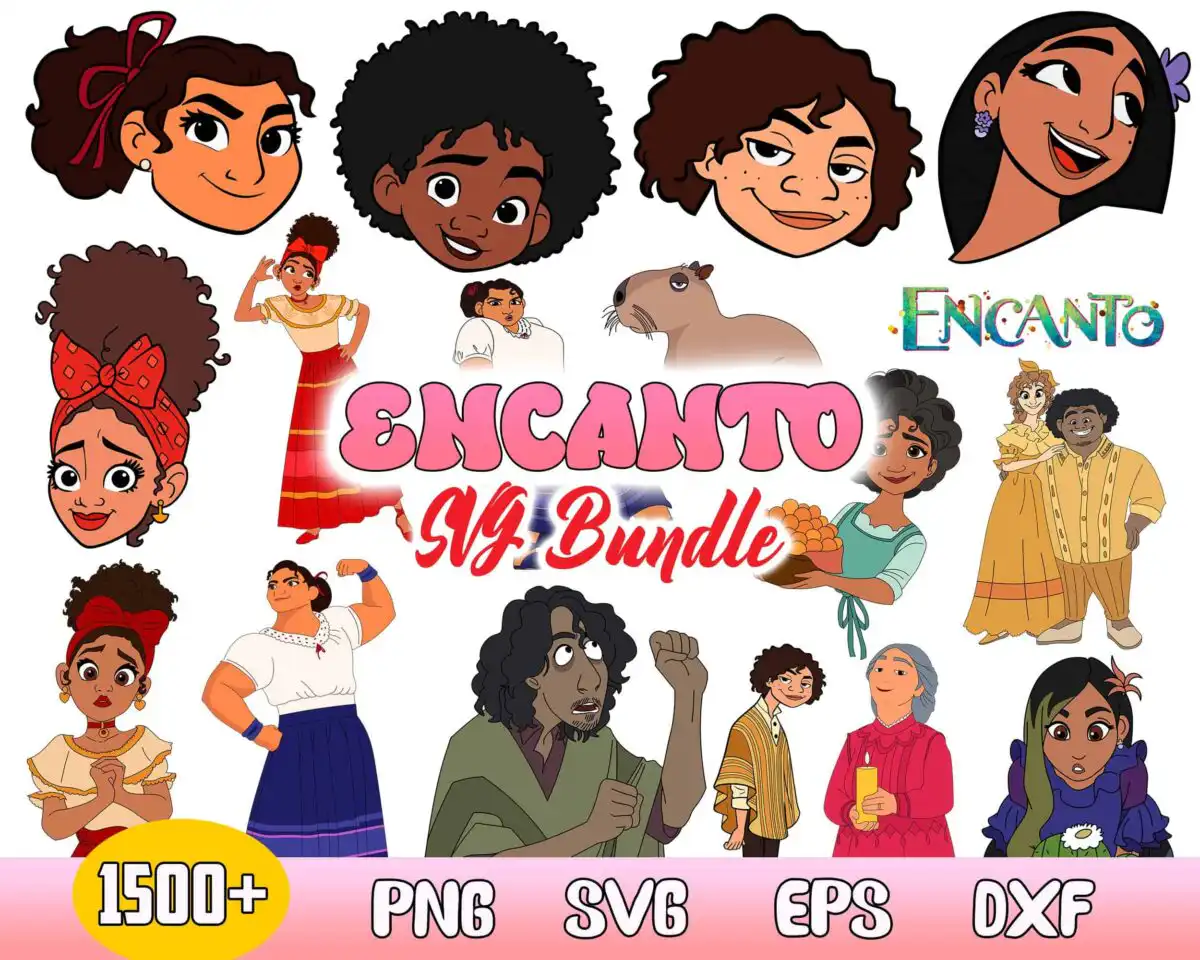
This Encanto candle SVG is a promo sheet of Encanto film characters and a capybara, delivered as SVG, PNG, DXF, EPS and PDF files for cutting and printing. The sheet is built around Abuela Alma holding a candle, shown alongside character portraits of Mirabel, Isabela and Julieta. Its pink “ENCANTO SVG Bundle” title, golden yellow 1500+ badge and pink footer strip with file type labels give the sheet a cheerful, festive look. The artwork is flat colour with bold outlines, in pink, white, golden yellow, red, dark brown, skin tan and teal. It suits birthday party decor, fan crafts and gifts, so you can cut characters for party banners, iron-on shirts, mug decals or sticker sheets. The sheet is a preview, and the files you download are the designs you cut from.
Design breakdown
The sheet is cut in 3 layers. It uses seven colours: pink, white, golden yellow, red, dark brown, skin tan and teal. Its designs include character heads of Mirabel, Isabela, Dolores and Julieta, full-body figures such as Luisa flexing and Abuela Alma with a candle, a capybara, the Encanto logo, the pink title, a yellow 1500+ badge and a pink footer strip with file type labels. Fine details such as the candle flame and facial features are best cut at 4 inches or larger. The preview shows 17 distinct designs on one sheet, so cut each figure separately rather than the whole sheet at once.
| Layers | 3 |
|---|---|
| Colours | 7 — pink (#F28BA8), white (#FFFFFF), golden yellow (#F2B705), red (#C8462B), dark brown (#3B2A20), skin tan (#E8A87C) |
| Lettering | ENCANTO / 1500+ / PNG / SVG / EPS / DXF |
| Background | white |
| Cut complexity | high |
| Orientation | landscape |
What’s included
- SVG
- PNG (300 dpi, transparent)
- DXF
- EPS
Works with
- Cricut Design Space
- Silhouette Studio (Designer Edition)
- Brother ScanNCut
- Adobe Illustrator
- Inkscape
- CorelDRAW
How to use
Download the zip file and unzip it on your computer before you start. Open the SVG file in Cricut Design Space or Silhouette Studio (Designer Edition), or import it into Brother ScanNCut, and select the characters you want. Ungroup the sheet, delete the title and footer if you do not need them, and resize each piece. Cut on vinyl or iron-on, then weed and apply to your project.
Licence
Personal and small-business commercial use. Sell finished physical items; do not resell or redistribute the files themselves.
FAQ
What files are included with this Encanto candle SVG?
You receive SVG, PNG at 300 dpi with a transparent background, DXF, EPS and PDF files. The PNG files are useful for printing and sublimation, while the SVG and DXF files are for cutting machines.
Can I use this Encanto candle design on a 20oz tumbler?
Yes, the characters work on a 20oz tumbler as vinyl decals or a printed wrap. Keep the pieces at a size where the fine details, such as the candle flame and faces, still cut cleanly.
Which machines and software does this SVG work with?
It works with Cricut Design Space, Silhouette Studio (Designer Edition), Brother ScanNCut, Adobe Illustrator, Inkscape and CorelDRAW. Any of these can open the SVG or EPS files directly.
Can I resize this design and sell finished items made with it?
Yes, you can resize the designs in your cutting software. The licence covers personal and small-business commercial use for finished physical items, but you may not resell or redistribute the files themselves.


