
Beetlejuice Halloween Preview for Shirts, Tumblers and Mugs
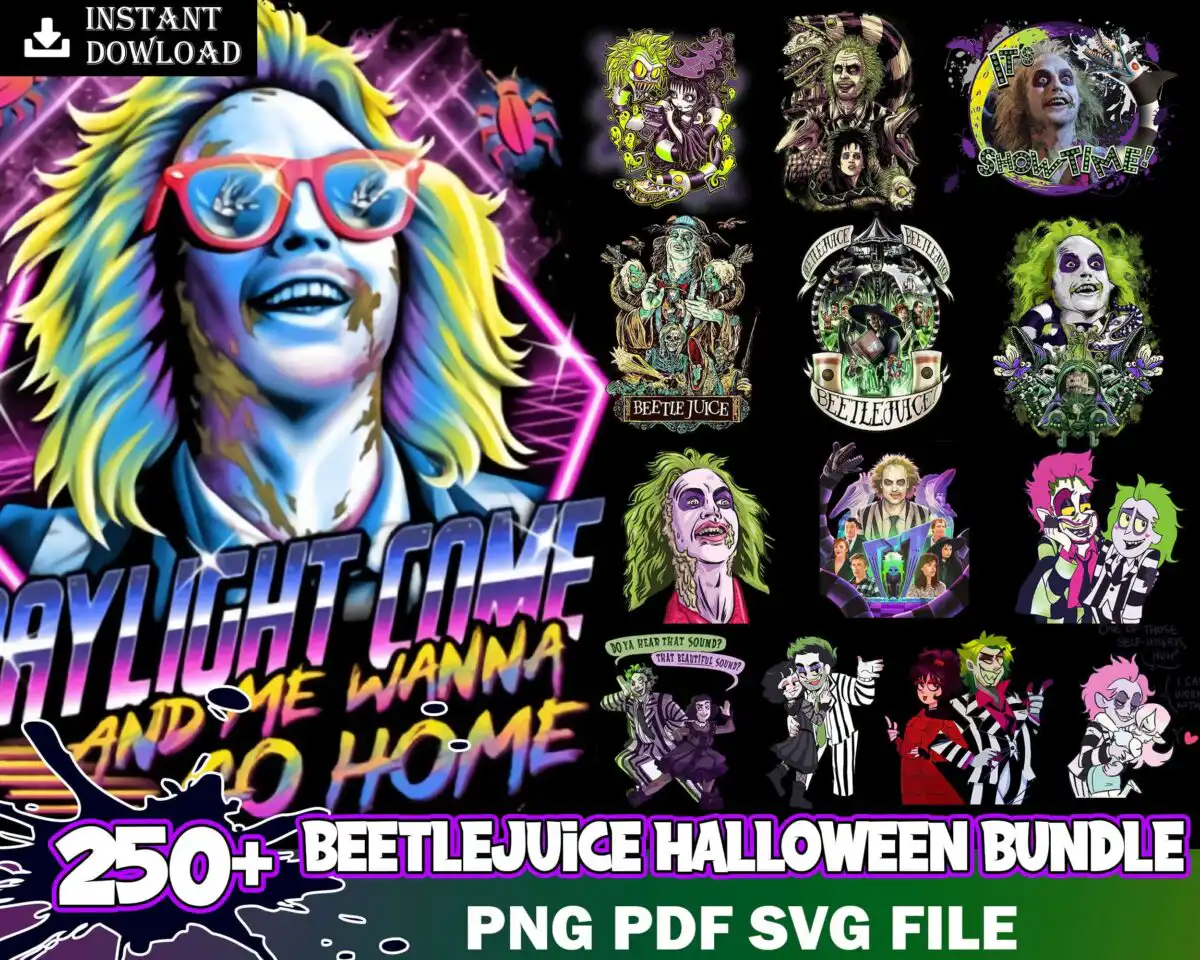
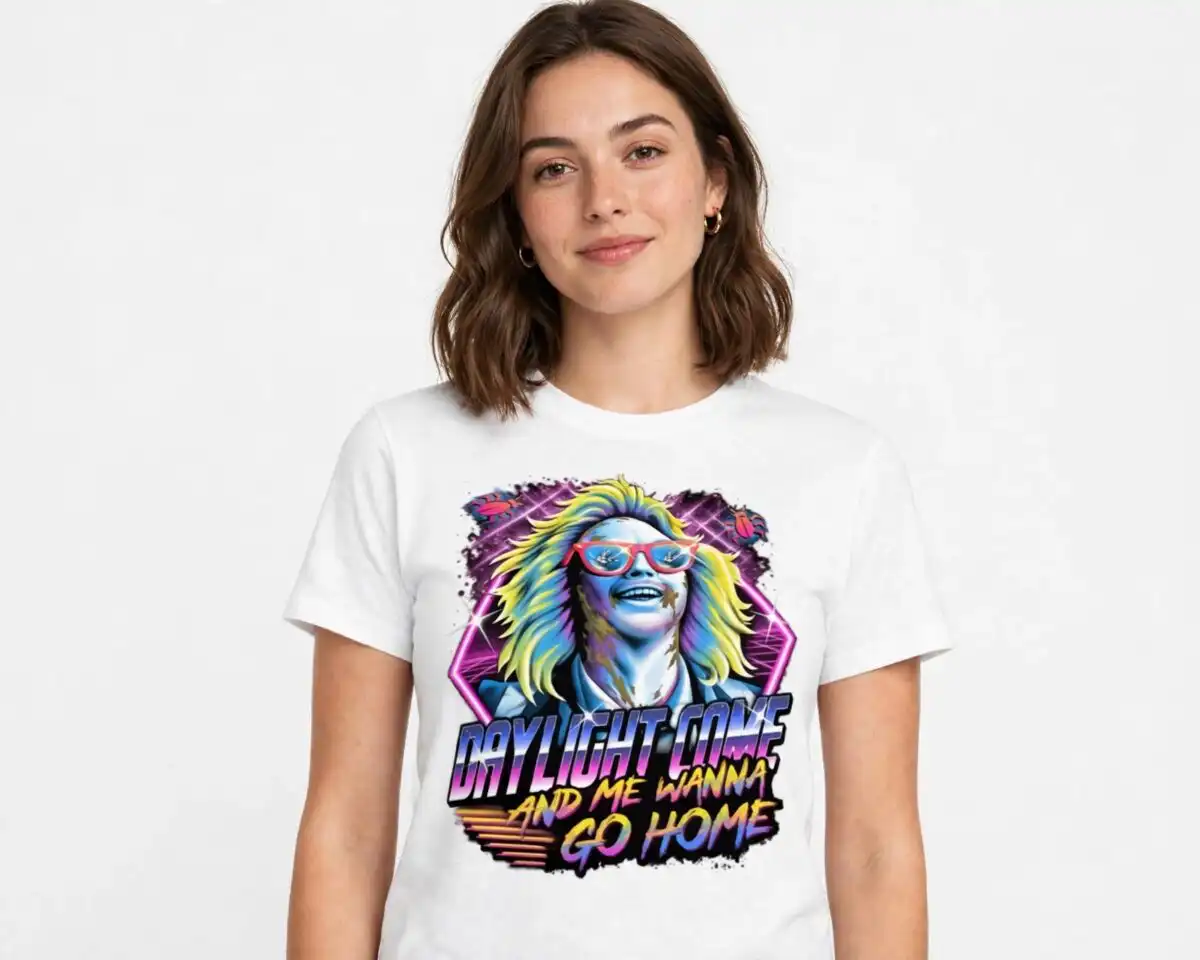
This Beetlejuice Halloween bundle preview is a sheet of many Beetlejuice-themed illustrations, made for shirts, tumblers, mugs, stickers and sublimation projects. You get SVG, PNG (300 dpi, transparent), DXF, EPS and PDF files. The sheet shows Beetlejuice character portraits, a striped suit figure and a sandworm, set against a dark neon grid. A large “Daylight Come” quote art sits on the left, and the lettering “Do you hear that sound? That Beetle sound?” appears among the Beetlejuice logo badges. The palette runs through lime green, yellow, hot pink, purple and light blue on black and white, with bats, spiders and Halloween skulls and ghosts filling the spaces between. Use the preview to pick the pieces you want, then cut or print them individually. The retro 80s neon look makes it a good fit for autumn Halloween crafts, especially for fans of the film.
Design breakdown
This preview sheet is cut in 1 layer, laid out as a square grid of separate illustrations on a dark neon background. The main pieces include Beetlejuice character portraits, a striped suit figure, a sandworm, bats and spiders, Beetlejuice logo badges, and Halloween skulls and ghosts. The “Daylight Come and me wanna go home” quote art sits on the left side of the sheet. The palette uses black, white, lime green, yellow, hot pink, purple and light blue. Fine details such as the spider legs and the small logo lettering are best cut at 4 inches or larger. Each illustration can be separated from the grid in your design software before cutting.
| Layers | 1 |
|---|---|
| Colours | 7 — black (#000000), white (#FFFFFF), lime green (#8DE02B), yellow (#F4D03F), hot pink (#E8335E), purple (#8E44D8) |
| Lettering | INSTANT DOWNLOAD / Daylight Come and me wanna go home / BEETLE JUICE / BEETLEJUICE / Showtime / PNG PDF SVG FILE / Do you hear that sound? That Beetle sound? |
| Background | dark |
| Cut complexity | high |
| Orientation | square |
What’s included
- SVG
- PNG (300 dpi, transparent)
- DXF
- EPS
Works with
- Cricut Design Space
- Silhouette Studio (Designer Edition)
- Brother ScanNCut
- Adobe Illustrator
- Inkscape
- CorelDRAW
How to use
Download the ZIP file from your order and unzip it to a folder on your computer. Open Cricut Design Space, Silhouette Studio or your preferred software, then use Upload to import the SVG file. Ungroup the sheet and delete the pieces you do not need. Resize the remaining illustrations, then cut or print. For sublimation, use the PNG file, which has a transparent background.
Licence
Personal and small-business commercial use. Sell finished physical items; do not resell or redistribute the files themselves.
FAQ
What files are included with this Beetlejuice Halloween bundle preview?
You get SVG, PNG (300 dpi, transparent), DXF, EPS and PDF files. The PNG works for sublimation and printing, while the SVG and DXF files suit cutting machines.
Can I put this Beetlejuice design on a 20oz tumbler?
Yes, the PNG file can be printed for a tumbler wrap or sublimation transfer. Pick out the single illustration you want, such as a character portrait or a sandworm, and size it to fit your tumbler.
Does this work with Cricut and Silhouette machines?
Yes, it works with Cricut Design Space and Silhouette Studio (Designer Edition), as well as Brother ScanNCut, Adobe Illustrator, Inkscape and CorelDRAW. Each program can open the SVG file directly.
Can I resize the designs and use them for a small business?
Yes, you can resize the illustrations to suit your project. The licence covers personal and small-business commercial use for finished physical items, but you may not resell or redistribute the files themselves.


