Cepillin Y Chepillin Stencil Silhouette Portrait for Vinyl, Shirts and Mugs
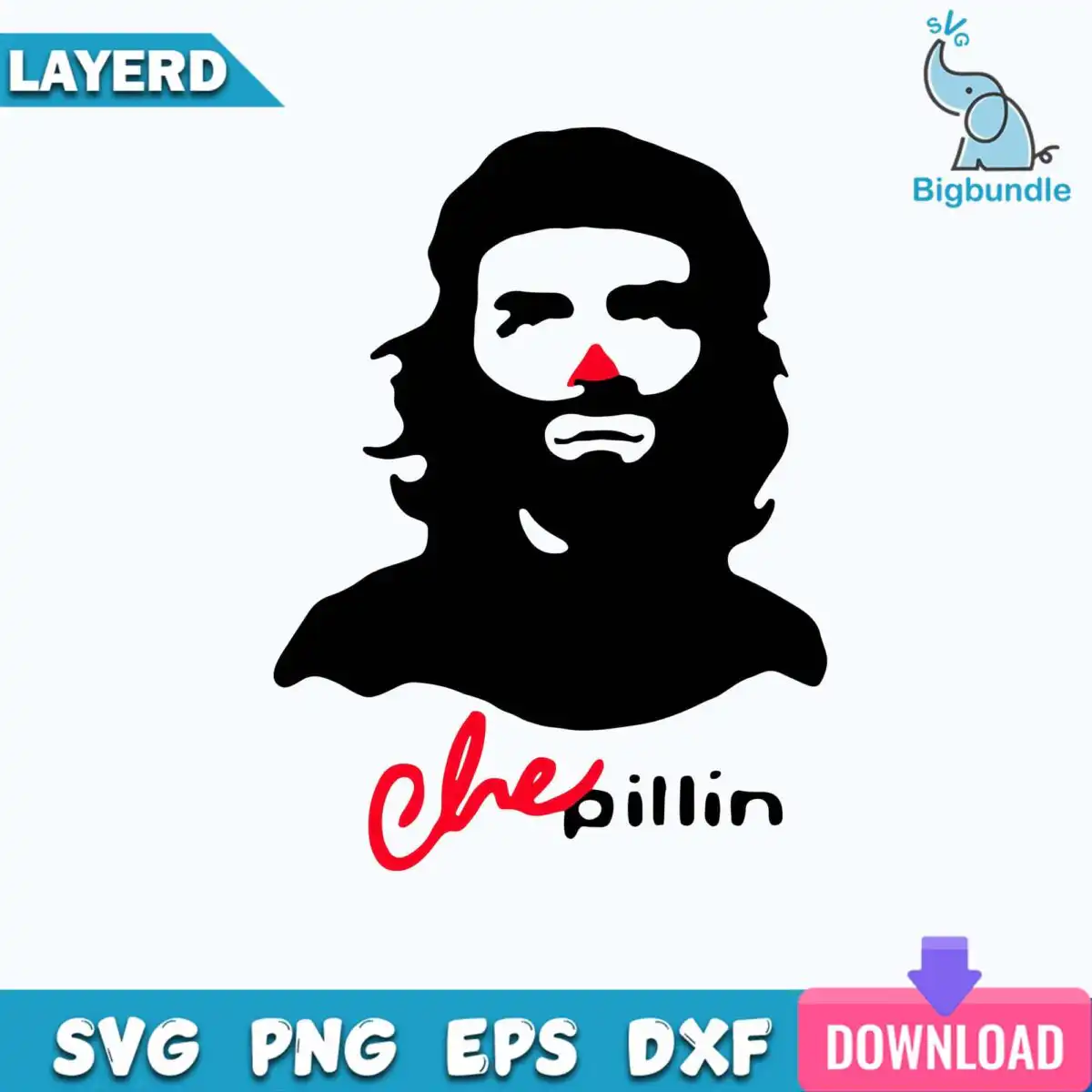
This stencil style silhouette portrait shows a bearded man with long hair and a red clown nose, set above the lettering “Che” in red script and “pillin” in black. It is a playful parody of a famous revolutionary portrait, and the download gives you SVG, PNG, DXF and EPS, PDF files for cutting and printing. You get the design in black, white and red, ready for vinyl decals, t-shirts, mugs, tote bags, stickers and scrapbooking. The silhouette is flat and bold, with the shoulders, long hair and beard drawn as clean shapes. Each piece reads clearly from a distance, so it works well as a novelty gift for pop culture fans. Because the artwork is a single portrait with two lines of lettering, the cut lines stay simple and the layout stays easy to weed. The PNG version has a transparent background at 300 dpi, which suits sublimation and printed transfers. Use the SVG in Cricut Design Space or Silhouette Studio for cutting, or open the PDF and EPS in Adobe Illustrator or CorelDRAW.
Design breakdown
This design is a single portrait cut in 3 layers, using black, white and red. The black layer holds the stencil-style silhouette of the man, the long hair, the beard and the shoulders, along with the “pillin” lettering. The red layer covers the clown nose and the “Che” script. The white background is the uncut space around the figure. Fine details such as the edges of the hair and the nose are best cut at 4 inches or larger.
| Layers | 3 |
|---|---|
| Colours | 3 — black (#000000), white (#FFFFFF), red (#E0202A) |
| Lettering | Che / pillin |
| Background | white |
| Cut complexity | medium |
| Orientation | portrait |
What’s included
- SVG
- PNG (300 dpi, transparent)
- DXF
- EPS
Works with
- Cricut Design Space
- Silhouette Studio (Designer Edition)
- Brother ScanNCut
- Adobe Illustrator
- Inkscape
- CorelDRAW
How to use
Download the bundle and unzip the folder on your computer before doing anything else. Open the SVG file in Cricut Design Space or Silhouette Studio, then import it as a new project. Check the size and the colour layers, and separate the red nose and script from the black silhouette if you plan to cut vinyl in two colours. For printed items such as mugs or tees, use the transparent PNG at 300 dpi.
Licence
Personal and small-business commercial use. Sell finished physical items; do not resell or redistribute the files themselves.
FAQ
What files are included with this stencil silhouette portrait?
You get SVG, PNG, DXF, EPS and PDF files. The PNG is 300 dpi with a transparent background, and the others are vector files for cutting and editing.
Can I put this design on a 20oz tumbler?
Yes, the design suits a 20oz tumbler when you print it as a sticker or a sublimation wrap from the PNG file. Size it so the portrait sits clear of the tumbler handle or seam.
Which machines and programs work with these files?
The files work with Cricut Design Space, Silhouette Studio (Designer Edition), Brother ScanNCut, Adobe Illustrator, Inkscape and CorelDRAW. The SVG is the best choice for cutting machines.
Can I resize the design and sell items made with it?
You can resize the design to fit your project. The licence covers personal and small-business commercial use, so you can sell finished physical items, but you may not resell or redistribute the files themselves.