
Disney 100th Anniversary Halloween Scene PNG for Shirts, Mugs and Totes
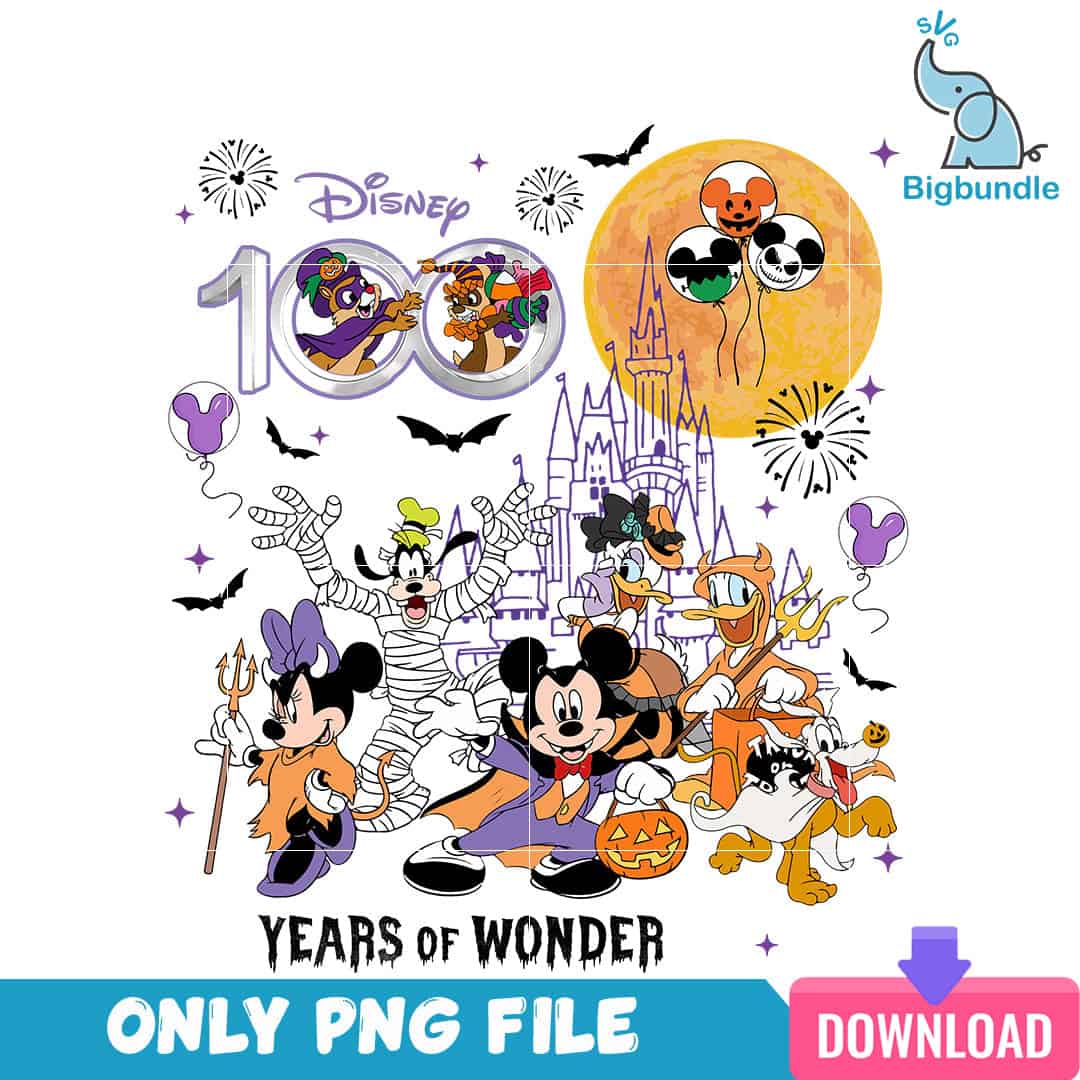
This Disney 100th anniversary PNG is a single Halloween scene of Mickey, Minnie, Goofy, Donald, Daisy and Pluto in costume, delivered as a transparent PNG file made for sublimation, DTF and print-and-cut projects. The artwork gathers Mickey in a vampire cape, Minnie with a pitchfork, Goofy as a mummy and Donald holding a trident in front of a castle silhouette and an orange full moon. You will also see bats, fireworks bursts, a jack-o’-lantern bucket and the YEARS OF WONDER lettering beside the 100 numeral logo. The palette is bold orange, black, purple and full moon amber, with white and charcoal for detail. Because the background is transparent, the colours sit cleanly on dark or light blanks. It suits Disney trip shirts, Halloween sweatshirts, tote bags and mugs.
Design breakdown
This is one illustrated design cut in 25 layers, with a high level of cut detail, so fine elements such as the bats, fireworks and balloon designs are best cut at 4 inches or larger. The palette is six colours: white, black, bold orange, purple, full moon amber and charcoal. The artwork includes Mickey Mouse in a vampire cape, Minnie Mouse with a pitchfork, Goofy as a mummy, Donald Duck with a trident, Daisy Duck, Pluto with a pumpkin, Chip and Dale in costumes, a Cinderella-style castle silhouette, an orange full moon, Mickey head balloons with jack-o’-lantern and Jack Skellington designs, bats, fireworks bursts, a jack-o’-lantern pumpkin bucket, and the 100 numeral logo with the text Disney, 100 and YEARS OF WONDER. The file is a single PNG on a transparent background at 300 dpi.
| Colours | 6 — white (#FFFFFF), black (#000000), orange (#F28C28), purple (#7B4FB0), full moon amber (#E8A33D), charcoal (#2E2E2E) |
|---|---|
| Lettering | Disney / 100 / YEARS OF WONDER |
| Background | white |
| Orientation | portrait |
What’s included
- PNG (300 dpi, transparent background)
Works with
- Sublimation printers (Epson, Sawgrass)
- DTF / print-and-cut workflows
- Canva
- Adobe Photoshop
How to use
Download the ZIP from your order and unzip it to a folder on your computer. Open the PNG in your sublimation software, Canva or Adobe Photoshop, and import it into your project. Resize the design using the corner handles so the scene keeps its proportions, then check that the fine details are still clear. Print on a sublimation printer or send the file to your DTF or print-and-cut workflow, then press or apply it to your item.
Licence
Personal and small-business commercial use. Sell finished physical items; do not resell or redistribute the files themselves.
FAQ
What files are included with this Disney 100th anniversary design?
You receive one PNG file at 300 dpi with a transparent background. It is a single design, so there are no extra variations or separate pieces.
Can I use this Halloween scene on a 20oz tumbler or a sweatshirt?
Yes, the PNG works on sweatshirts, mugs and tumbler wraps made with sublimation. Resize it to fit your blank, keeping the castle and moon centred so the full scene stays visible.
Which printers and programs does this PNG work with?
It works with Epson and Sawgrass sublimation printers, DTF and print-and-cut workflows, Canva and Adobe Photoshop. The transparent background means you can place it over any colour of blank.
Can I resize the design and sell the finished shirts?
Yes, you can resize the file for your project. The licence covers personal and small-business commercial use for selling finished physical items, but you may not resell or redistribute the PNG file itself.


