LOVE BUG Valentine’s Lettering with Cocomelon-Style Watermelon and Ladybug, for Shirts
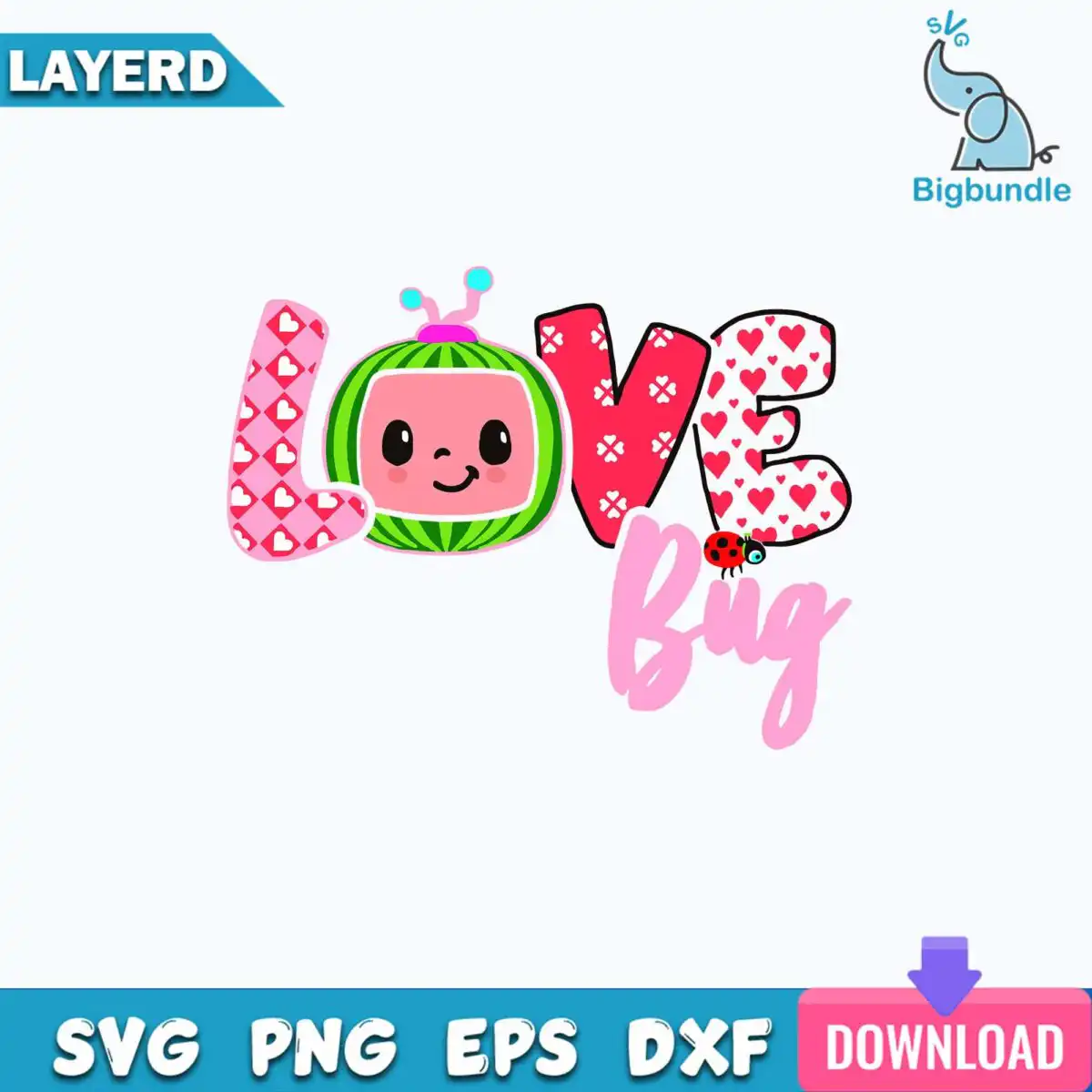
This Love Bug Valentine’s lettering design is a single cartoon artwork that reads LOVE and Bug in playful, pattern-filled letters, with a Cocomelon-style watermelon character standing in the O. You receive SVG, PNG (300 dpi, transparent), DXF, EPS and PDF files, made for t-shirt transfers, tumbler decals, cards and cut-file projects. The artwork uses light pink, red, green and coral pink, outlined in black on a white background. A ladybug accent and heart patterns run through the lettering, and small antennae add to the bug theme. Because the letters are filled with pattern, the design suits a bold, cheerful Valentine’s Day piece for children, parents and crafters alike. It also works for nursery or kids decor and scrapbook layouts.
Design breakdown
The design is cut in 8 layers across 6 colours: light pink, red, green, coral pink, white and a black outline. The LOVE and Bug lettering is built from pattern-filled letters, with the watermelon character in the O and a ladybug accent beside it. Heart patterns and antennae appear as separate shapes within the artwork. The design is a single landscape layout on a white background. Cut complexity is medium, so fine details are best cut at 4 inches or larger. Layers can be separated in Cricut Design Space, Silhouette Studio, Brother ScanNCut or Adobe Illustrator for multi-colour projects.
| Layers | 8 |
|---|---|
| Colours | 6 — light pink (#F7A8C4), red (#E0245E), green (#3FA34D), coral pink (#F28B82), white (#FFFFFF), black outline (#000000) |
| Lettering | LOVE / Bug |
| Background | white |
| Cut complexity | medium |
| Orientation | landscape |
What’s included
- SVG
- PNG (300 dpi, transparent)
- DXF
- EPS
Works with
- Cricut Design Space
- Silhouette Studio (Designer Edition)
- Brother ScanNCut
- Adobe Illustrator
- Inkscape
- CorelDRAW
How to use
Download the zip file from your order and unzip it to a folder on your computer. For cutting, open the SVG file in Cricut Design Space or Silhouette Studio (Designer Edition) and import it. Ungroup the layers and assign each colour to its own mat or material. For printing, use the PNG file at 300 dpi with a transparent background. Check the size before cutting or printing.
Licence
Personal and small-business commercial use. Sell finished physical items; do not resell or redistribute the files themselves.
FAQ
What files are included with this Love Bug Valentine’s design?
You get SVG, PNG (300 dpi, transparent), DXF, EPS and PDF files. The SVG is the one to use for cutting machines, and the PNG suits printing and sublimation.
Can I use this Love Bug design on a 20oz tumbler?
Yes, the design works for tumbler decals and wraps. Cut the vinyl layers at 4 inches or larger so the fine details of the ladybug and heart patterns stay clear.
Which machines and programs does this design work with?
It works with Cricut Design Space, Silhouette Studio (Designer Edition), Brother ScanNCut, Adobe Illustrator, Inkscape and CorelDRAW. Any of these can open the SVG or EPS files directly.
Can I resize the design and sell the finished items?
You can resize the design to fit your project. The licence covers personal and small-business commercial use for finished physical items, but you may not resell or redistribute the files themselves.