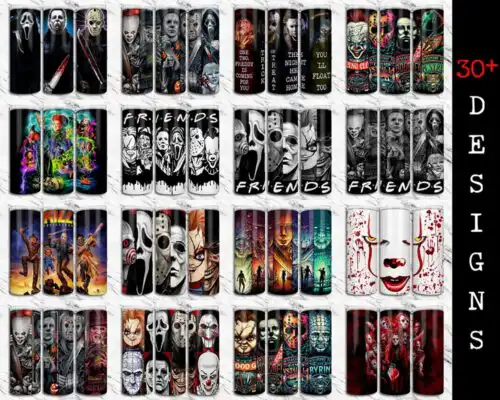
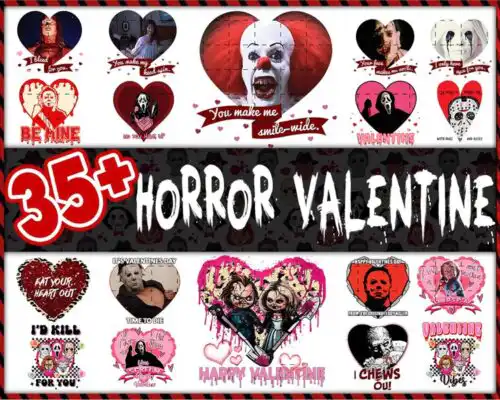
Horror Friends SVG files are group designs that put classic horror characters together in one artwork, sold as cut-file designs that include SVG, PNG (300 dpi, transparent), DXF, EPS, PDF and as PNG-only designs with PNG (300 dpi, transparent background) for making shirts, tumblers, decals, totes, and party decor. What ties these designs together is the squad concept — multiple scary favorites posed as friends — which works for year-round horror fans and especially Halloween. These designs are made for makers who want a ready-made group graphic instead of building one from single characters, whether you cut vinyl, print sublimation, or use DTF and print-and-cut workflows.
Choosing the right design
Look at layering first. Single-layer horror friends designs cut and weed fastest and work best for small items, chest logos, and glitter or puff vinyl. Layered, multi-color versions give you that cartoon-like depth for larger shirts, hoodies, and signs, but check how many colors are stacked before you start. For tiny tumbler decals and baby onesies, pick cleaner silhouettes with thicker lines and less inner detail — fine lines lift and tear. For large backs and garden flags, you can go bolder with distressed textures and full-group poses. Before cutting, open the file list on the design you chose: cut-file designs include SVG, PNG, DXF, EPS, PDF, while PNG-only designs are for sublimation and printing. Always mirror for HTV, test blade pressure, and size the group so the smallest face still cuts clean.
Which Horror Friends SVG works best for shirts vs tumblers?
Use wider, horizontal group poses for shirts and taller, compact stacks for tumblers. Shirts can handle multi-color layered groups with bigger details, while 16oz Libbey wraps and mugs need simpler outlines and fewer tiny gaps so the vinyl or sublimation stays readable when wrapped. If the characters have a lot of small eyes or text, reserve that version for adult shirts and choose a bold, minimal friend group for cups and kids sizes.
Do I need svg or png for Horror Friends SVG?
You need SVG for vinyl cutting and PNG for sublimation and printing. Cut-file designs in this set include SVG, PNG (300 dpi, transparent), DXF, EPS, PDF for Cricut, Silhouette and laser-friendly workflows, while PNG-only designs come as PNG (300 dpi, transparent background) for sublimation, DTF, and print-and-cut. Check the file list on each design, because not every design includes SVG, DXF, and EPS.
How to cut layered Horror Friends SVG on Cricut?
Cut layered Horror Friends SVG by color, weeding and pressing one layer at a time from bottom to top. Import the SVG into Cricut Design Space, ungroup to see color layers, cut each vinyl color on its own mat, and use registration marks or a clear carrier to align faces. Keep heat at 305-315F for 10-15 seconds per HTV layer with a cold peel between layers, and save the fine outline layer for last so small details don't overheat.
How to size Horror Friends SVG for adult youth and baby shirts?
Size Horror Friends SVG to 10-11 inches wide for adult shirts, 8-9 inches for youth, and 5-6 inches for baby and toddler. That keeps character faces readable without losing detail. Scale the whole group together, don't stretch individual characters, and if the smallest face drops below 0.5 inch tall, switch to a simpler version of the group or use print-then-cut instead of layered vinyl.
What file types come with Horror Friends SVG designs?
Cut-file designs include SVG, PNG (300 dpi, transparent), DXF, EPS, PDF. PNG sublimation designs include PNG (300 dpi, transparent background) for sublimation, DTF and print-and-cut. Each design page lists exactly which files are included, so check before you buy.
Will these work with Cricut, Silhouette and sublimation printers?
Yes. SVG cut-file designs work with Cricut Design Space, Silhouette Studio (Designer Edition), Brother ScanNCut, Illustrator, Inkscape, CorelDRAW and Canva. PNG files work with sublimation printers like Epson and Sawgrass, DTF, Adobe Photoshop and any print-and-cut workflow. Choose the file format that matches how you make.
Can I sell shirts and tumblers I make with these designs?
Yes for physical finished items. The licence is personal and small-business commercial use. You can sell shirts, tumblers, decals and decor you make. You cannot resell, share, or redistribute the digital files themselves as files, or claim them as your own artwork.
Instant Download Download immediately after successful payment
Secure Payment Experience 100% secure payments, ensuring your transactions are safe.
Outstanding Support Service beyond compare with our exceptional team.
Premium Quality We are meticulous in every detail, ensuring unparalleled excellence.