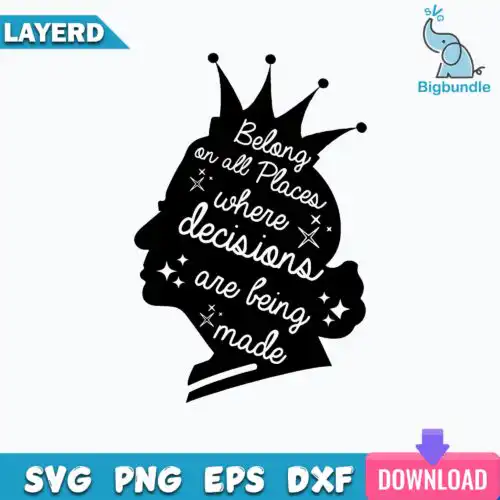
Queen SVG files are cut and print-ready queen-themed designs that come as SVG, PNG, DXF, EPS, PDF, and 300-dpi transparent PNGs for making shirts, tumblers, mugs, signs, and party decor. These designs are united by the queen idea, not one look, so you will find mixed subjects and mixed styles that work year-round for birthdays, holidays, and everyday wear. Some are bold and graphic for large chest prints, others are detailed and sparkly for smaller projects. Cut-file designs include SVG, PNG, DXF, EPS and PDF, while PNG-only designs are made for sublimation and printing, and each design lists its own files on its page.
Choosing the right design
Start with how you want to make it. Choose layered cut files when you want to build color with heat-transfer vinyl or cardstock, and choose single-layer or PNG sublimation designs when you want one-press printing. For small items like baby onesies, mugs, and cosmetic bags, look for clean lines and less tiny detail so weeding stays easy and small text stays readable. For large items like adult shirts, tote bags, and signs, you can use more detailed, distressed, or glitter-style versions. Before you cut, check the file list on the design you like, mirror for HTV, do a test cut at your final size, and size up layered versions by at least half an inch if they have thin crowns or script so the pieces press cleanly.
Which Queen SVG is best for shirts vs tumblers?
Use bold, single-layer or solid silhouettes for shirts and fitted, vertical layouts for tumblers and mugs. Shirts need designs that read from a distance and weed well at 10-11 inches wide, while tumblers and 3D wraps need designs with a clear focal point that will not get lost around a curve. If you press mugs or tumblers, pick PNG sublimation designs for full color without layering.
Queen SVG vs png which file should I use
Use SVG, DXF, EPS, or PDF when you are cutting vinyl, paper, or using print-and-cut, and use PNG when you are sublimating or doing DTF. Cut-file designs include SVG plus PNG, DXF, EPS, and PDF for Cricut, Silhouette, and other cutters, while PNG-only designs are 300-dpi transparent files made for sublimation printers and direct printing workflows. Check the file list for each design to see which type it is.
How to size Queen SVG for adult youth baby shirts?
Size Queen SVG at 10 to 11 inches wide for adult shirts, 8 to 9 inches for youth, and 5 to 6 inches for baby and toddler. Keep fine details like thin crowns, small dots, or script thicker than 0.1 inch after resizing so they weed and press cleanly. Always measure your blank first, then scale proportionally, and add a little extra width for oversized or boxy fits.
Can you add a name to Queen SVG designs?
Yes, you can add a name, year, or birthday number in Design Space, Silhouette Studio, Canva, or Illustrator. Keep the added text in a matching bold font and leave breathing room around crowns and script so the name stays readable after pressing. For layered vinyl, cut the name as a separate single-color layer; for sublimation, flatten the name with the design into one PNG and print as usual.
It depends on the design type. Cut-file designs include SVG, PNG (300 dpi, transparent), DXF, EPS, and PDF. PNG sublimation designs include PNG (300 dpi, transparent background) for printing and sublimation. Each design lists its own included files, so check the file list before you buy.
What machines work with these queen designs?
They work with Cricut Design Space, Silhouette Studio Designer Edition, Brother ScanNCut, Adobe Illustrator, Inkscape, CorelDRAW, sublimation printers like Epson and Sawgrass, DTF and print-and-cut workflows, Canva, and Photoshop. Use SVG or DXF for cutting and 300-dpi PNG for sublimation and printing.
Can I sell what I make with Queen SVG files?
Yes, personal and small-business commercial use is allowed to sell finished physical items like shirts, tumblers, and signs you make. You cannot resell, share, or redistribute the digital files themselves as files, bundles, or templates. Check the license details on each design page for any extra notes.