
Christmas Gnome Characters for Crafters: Holiday, Valentine and Gift Gnomes
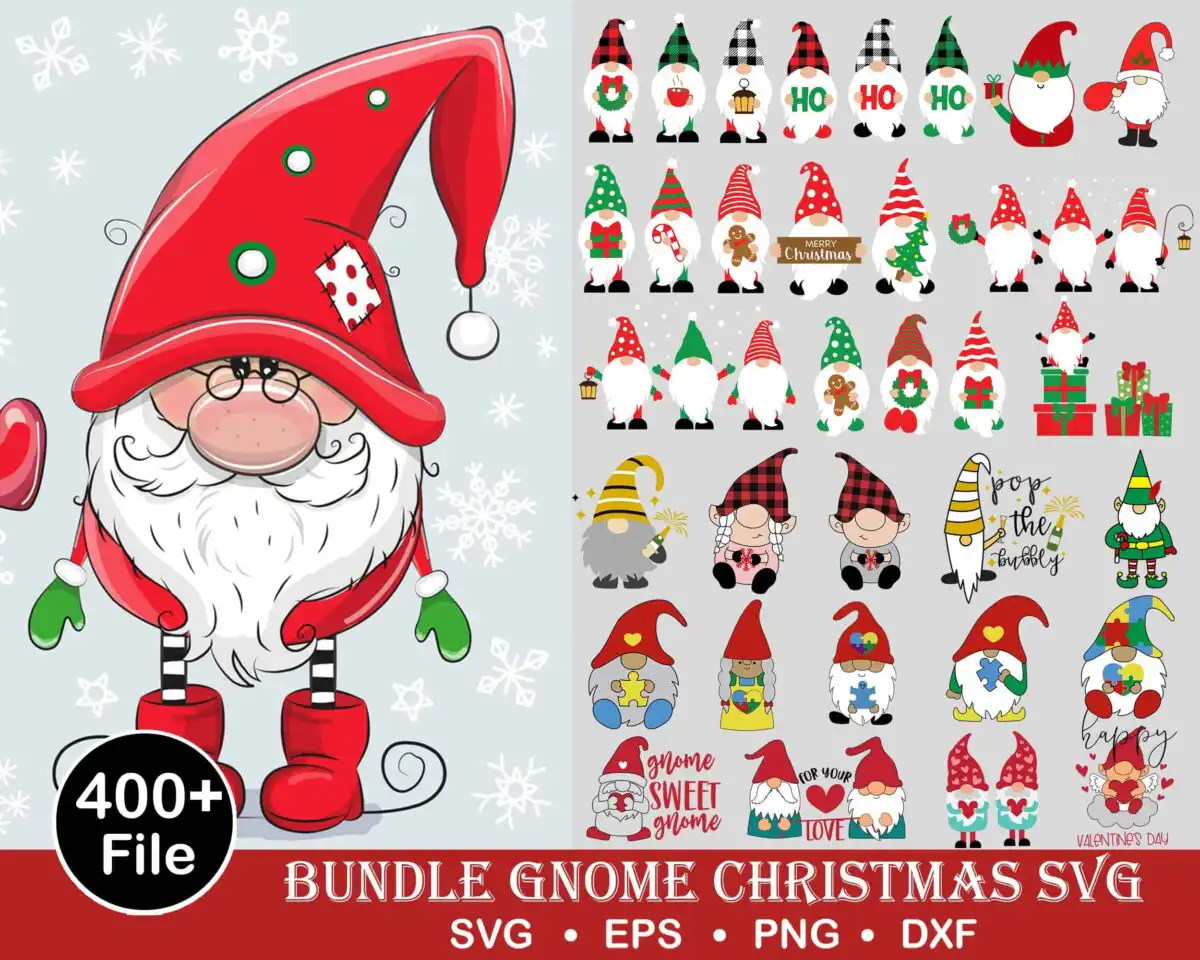
This Christmas bundle gnome characters themed SVG is a set of cartoon gnome designs for holiday and gift crafts, delivered as SVG, PNG, DXF and EPS files. Its featured gnome stands large on the left in a Christmas red pointed hat and white beard, surrounded by smaller gnomes holding candy canes, gift boxes and hearts. The lettering includes “Merry Christmas”, “Gnome Sweet Gnome”, “Pop the Bubbly” and “For your love”, with dominant Christmas red, evergreen green and white across the artwork on a solid background. Use the gnome characters for shirts, tumblers, mugs, greeting cards and wall decor, or cut them from vinyl with a Cricut or Silhouette. The set suits Christmas, Valentine’s Day, birthdays and holiday gifting, so one file set covers several seasons of projects.
Design breakdown
The artwork is cut in 6 layers and uses 7 colours: Christmas red, white, evergreen green, black, pale icy grey-blue, golden yellow and skin pink. The bundle includes gnome characters with a candy cane, a gingerbread man, a Christmas tree, a wreath, gift boxes, a puzzle piece and a sparkler, which are among the designs shown in the preview. Fine details such as the beards, hat trims and small props need a cut size of 4 inches or larger to keep their edges clean. The preview sheet is a collage of 40 distinct designs, and the file set is provided as individual cut-ready artwork.
| Layers | 6 |
|---|---|
| Colours | 7 — Christmas red (#D42426), white (#FFFFFF), evergreen green (#1B7A3A), black (#111111), pale icy grey-blue (#E8EEF2), golden yellow (#F2C230) |
| Lettering | HO HO HO / Merry Christmas / Gnome Sweet Gnome / Pop the Bubbly / Happy / Valentine’s Day / For your love / 400+ File / SVG / EPS / PNG / DXF |
| Background | solid |
| Cut complexity | high |
| Orientation | portrait |
What’s included
- SVG
- PNG (300 dpi, transparent)
- DXF
- EPS
Works with
- Cricut Design Space
- Silhouette Studio (Designer Edition)
- Brother ScanNCut
- Adobe Illustrator
- Inkscape
- CorelDRAW
How to use
Download the ZIP file and unzip it to a folder on your computer. Open Cricut Design Space, Silhouette Studio or Adobe Illustrator, then choose Upload or File, Open and select the SVG you want. Each gnome is a separate element, so you can ungroup and resize pieces before cutting. For printed work, import the 300 dpi transparent PNG into your sublimation or print software.
Licence
Personal and small-business commercial use. Sell finished physical items; do not resell or redistribute the files themselves.
FAQ
What files are included with this gnome bundle?
You get SVG, PNG at 300 dpi with a transparent background, DXF, EPS and PDF files. The SVG and DXF files suit cutting machines, while the PNG works for sublimation and print projects.
Can I use these gnome designs on a 20oz tumbler?
Yes, the PNG and SVG files can be sized for a 20oz tumbler wrap or a vinyl decal on the tumbler. Keep the smaller gnome props at 4 inches or larger so the fine details stay sharp.
Which machines and programs does this work with?
It works with Cricut Design Space, Silhouette Studio (Designer Edition), Brother ScanNCut, Adobe Illustrator, Inkscape and CorelDRAW. Any of these can open the SVG and DXF files directly.
Can I resize the gnome designs and sell what I make?
Yes, you can resize the files freely for your own projects. The licence covers personal and small-business commercial use for finished physical items, but you may not resell or redistribute the files themselves.


